An OpenClaw cron job failed with a confusing message: the agent had no tools.
The job was supposed to run a normal nightly automation flow: read memory notes, extract durable facts, write them into a knowledge base, run scripts, commit changes, push them, and re-index the knowledge base. That kind of job obviously needs filesystem and shell tools such as read, write, edit, and exec.
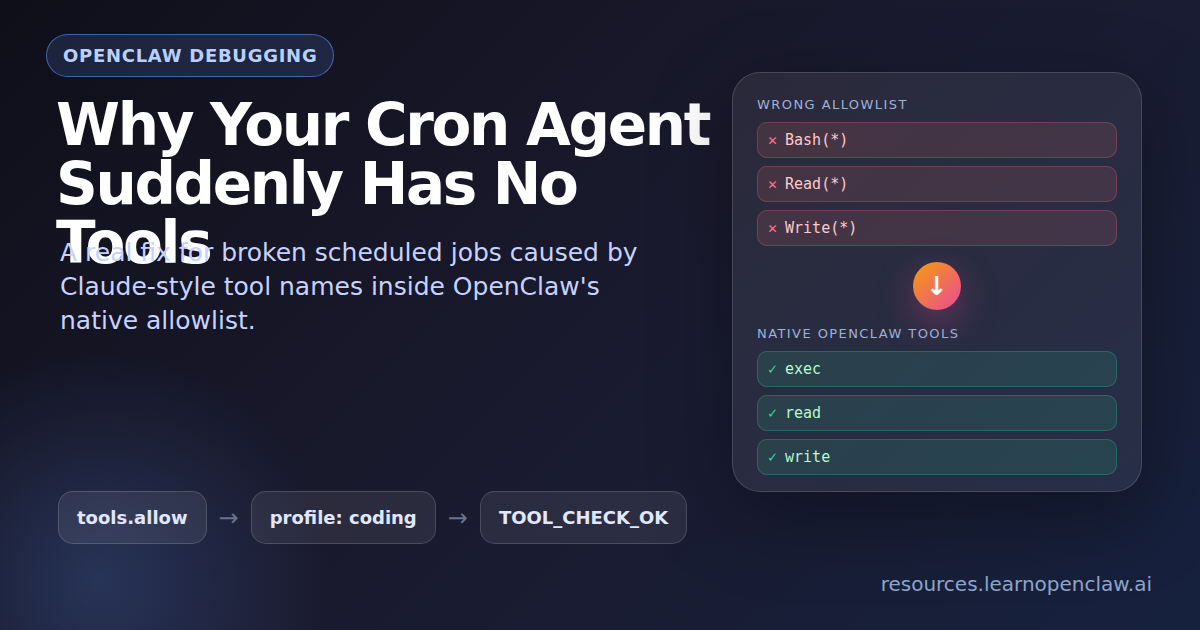
At first glance, this looked like a permission problem. The error said the agent did not have filesystem or execution access. But the real issue was subtler: the OpenClaw config was using Claude-style tool names inside an OpenClaw-native tool allowlist.
That one mismatch filtered out every usable tool.
The Symptom: A Scheduled Agent With No Tools
The failing scheduled task was called Nightly Knowledge Consolidation. Its job was to keep the knowledge base fresh by consolidating recent memory into durable notes.
The workflow required the agent to:
- Read daily memory files.
- Extract facts worth keeping.
- Write or edit knowledge base files.
- Run scripts.
- Commit and push the changes.
- Re-index the knowledge base.
But the cron run reported that no tools were available. In practice, that meant the agent could reason about the task, but it could not do the task.
The Root Cause: Claude Tool Names in an OpenClaw Allowlist
The OpenClaw config had a custom tools.allow list that looked like this:
[
  "Bash(*)",
  "WebFetch(*)",
  "Write(*)",
  "Read(*)",
  "Edit(*)",
  "Glob(*)",
  "Grep(*)"
]
Those names look reasonable if you are thinking in Claude Code or Claude-style tool patterns. But OpenClaw does not use those names internally.
OpenClaw expects native tool IDs such as:
readwriteeditapply_patchexeccronmessageweb_fetchmemory_searchmemory_get
The important detail is that tools.allow is treated as an exact allowlist. It does not translate Bash(*) into exec. It does not translate Read(*) into read. If the names do not match OpenClaw’s native tool IDs, the allowlist does not allow the real tools.
So the agent was technically configured to use tools, but the allowlist removed every usable tool.
The Fix: Use OpenClaw’s Native Coding Profile
The best fix was not to maintain a fragile custom allowlist. The better move was to use OpenClaw’s built-in coding profile and add the extra tool needed for status reporting.
{
  "tools": {
    "profile": "coding",
    "alsoAllow": ["message"]
  }
}
The coding profile enables the standard tools needed for real agent work, including filesystem access and shell execution. The message tool was added separately so scheduled jobs can report final status back to the right channel.
After changing the config, the gateway was restarted and the config was validated:
$ openclaw gateway restart
$ openclaw config validate
The validation result was:
Config valid: ~/.openclaw/openclaw.jsonWhy Config Validation Was Not Enough
A config can be syntactically valid and still be operationally wrong.
In this case, the invalid tool names did not make the JSON invalid. They made the runtime tool set empty. That is why the most important verification was not just openclaw config validate. The important verification was a real tool probe from the agent runtime.
The main agent was asked to read a file through its tool interface and reply with a fixed success string. The successful result was:
TOOL_CHECK_OKThe runtime metadata then showed the expected tools, including:
readwriteeditexeccronmessage
A second test checked the cron tool directly. That returned:
CRON_TOOL_OKThat confirmed the scheduled-agent side was fixed.
Secondary Issue: Plugin Runtime Dependencies
While testing the tool fix, another issue appeared:
Failed to install bundled plugin runtime deps:
ENOENT: no such file or directory, mkdir '/root/.openclaw/plugin-runtime-deps/openclaw-2026.4.23-4eca5026e977'
This meant OpenClaw was trying to install bundled plugin dependencies, but the expected target directory did not exist.
The fix was to create the missing directory path and run doctor repair:
$ mkdir -p /root/.openclaw/plugin-runtime-deps/openclaw-2026.4.23-4eca5026e977/dist/extensions
$ openclaw doctor --fix
After that, plugin loading reported zero errors.
Cleaning Up Cron Job Configuration
The cron store also had legacy notify fields:
"notify": trueThose jobs already used modern delivery blocks, so the old fields were obsolete. Before changing the cron store, a backup was created:
$ cp /root/.openclaw/cron/jobs.json /root/.openclaw/cron/jobs.json.bak-20260427-0825Then the legacy notify fields were removed.
The cron payload models were also updated from:
openai-codex/gpt-5.4to:
openai-codex/gpt-5.5The system was already falling back to gpt-5.5 because gpt-5.4 was not allowed in the current model config. Updating the cron payloads removed the warning and made the intended behavior explicit.
Separate Issue: Cron CLI Admin Commands
After the tool fix, one separate issue remained. These convenience commands still failed:
$ openclaw cron list
$ openclaw cron status
They returned:
gateway closed (1006 abnormal closure)But direct gateway calls worked:
$ openclaw gateway call cron.status --jsonThat proved the gateway and scheduler were healthy. The broken part was the convenience CLI path for cron admin commands.
The workaround was to patch the installed OpenClaw gateway RPC wrapper so read-only cron admin commands fall back to local cron files when the WebSocket CLI path fails.
The patched file was:
/usr/lib/node_modules/openclaw/dist/gateway-rpc.runtime-B_VaiULC.jsIt was backed up first:
/usr/lib/node_modules/openclaw/dist/gateway-rpc.runtime-B_VaiULC.js.bak-20260427-0838The fallback reads persisted cron data from:
/root/.openclaw/cron/jobs.json/root/.openclaw/cron/runs/*.jsonl
This restored read-only inspection commands such as:
$ openclaw cron status --json
$ openclaw cron list --json
$ openclaw cron list
$ openclaw cron show <job_id> --json
$ openclaw cron runs --id <job_id> --limit 2
The Caveat: File-Based Fallback Is Not Live Scheduler State
The CLI fallback is intentionally read-only and file-based.
That means openclaw cron list can work again, but some live scheduler fields may show as blank if they only exist in gateway memory. For live scheduler state, the better command is still:
$ openclaw gateway call cron.status --jsonWhat Other Cron Resources Cover (And What They Miss)
After comparing this issue against the public OpenClaw cron documentation and the main third-party cron article I found, the gap became clearer: most cron resources explain how to schedule jobs, but they do not walk through the specific failure mode where an agent starts with zero callable tools because the global allowlist is invalid.
The official OpenClaw cron docs are useful for understanding the scheduler itself. They explain that cron runs inside the Gateway, stores job definitions in ~/.openclaw/cron/jobs.json, supports main, isolated, current, and custom sessions, and lets isolated jobs restrict tools with --tools. They also call out that model overrides are strict: if a cron job names a model that is not allowed or cannot be resolved, the run fails instead of silently falling back.
That matters because cron failures can come from multiple layers:
- Scheduler layer: the job did not run, ran at the wrong time, or used the wrong session target.
- Delivery layer: the job ran, but the final message was not delivered to the expected chat or webhook.
- Model layer: the job selected a model that is not allowed or no longer exists.
- Tool layer: the run started, but the agent had no callable tools.
The third-party article I found, OpenClaw Cron Jobs: Daily Setup Guide With Real Examples, is broader and more beginner-focused. It covers practical cron patterns like morning briefings, email monitors, calendar checks, and maintenance jobs. It also highlights two useful operational gotchas: cron costs can add up fast, and server time zones can make jobs fire at surprising times.
Those are good setup lessons, but they are not the same as this bug. A timezone issue means the job fires at the wrong time. A cost issue means the job runs too often or uses an expensive model. A session-target issue means the output appears in the wrong place. This specific problem was lower-level: the cron agent launched correctly, but OpenClaw filtered out every tool before the model call because tools.allow contained names OpenClaw does not recognize.
A Better Debugging Checklist
Based on the docs and the other cron article, I would debug OpenClaw cron failures in this order:
- Confirm the schedule: check whether the job is due, whether the host timezone matches your expectation, and whether the cron expression means what you think it means.
- Confirm the session type: decide whether the job should run in
main,isolated,current, or a named persistent session. - Confirm delivery: check whether the job is supposed to announce to chat, send via the
messagetool, post to a webhook, or stay internal. - Confirm the model: if the job has a model override, make sure that model is allowed and still resolvable.
- Confirm payload-level tool restrictions: if the job was created with
--tools, make sure it did not accidentally restrict away the tools the task needs. - Confirm global tool configuration: inspect
tools.profile,tools.allow, andtools.denyinopenclaw.json. - Then test from inside an actual agent run: do not rely only on the config looking correct. Prove the run can call
read,exec,message,cron, or whatever the job needs.
The most important extra lesson from this incident: if you see a tool-access error, do not assume cron itself is broken. Cron may be doing exactly what it should. The real problem may be that the tool allowlist fails closed before the agent receives any callable functions.
Relevant references:
- OpenClaw docs: Scheduled tasks
- OpenClaw docs:
openclaw cron - OpenClaw docs: Tools and plugins
- OpenClawReady: Cron jobs daily automation guide
Final Result
After the fix:
- Scheduled cron jobs had access to tools again.
- Filesystem and shell tools were available.
- The cron tool was available inside agent runs.
- Plugin runtime dependencies loaded correctly.
- Cron payload models matched the configured model.
- Cron admin CLI commands worked again for read-only inspection.
- Gateway health was OK.
The original scheduled task failure should not happen again unless the OpenClaw config is changed back to an invalid tool allowlist.
The Lesson
If an OpenClaw agent says tools are missing, do not only check whether tools are enabled. Check whether the allowlist uses OpenClaw-native tool IDs.
This is good:
{
  "tools": {
    "profile": "coding",
    "alsoAllow": ["message"]
  }
}
This is risky in OpenClaw:
{
  "tools": {
    "allow": ["Bash(*)", "Read(*)", "Write(*)"]
  }
}
The second version looks reasonable if you are coming from Claude-style tool names, but in OpenClaw it can accidentally block every real tool.
When in doubt, prefer the native coding profile. Then verify with a real tool probe, not just config validation.