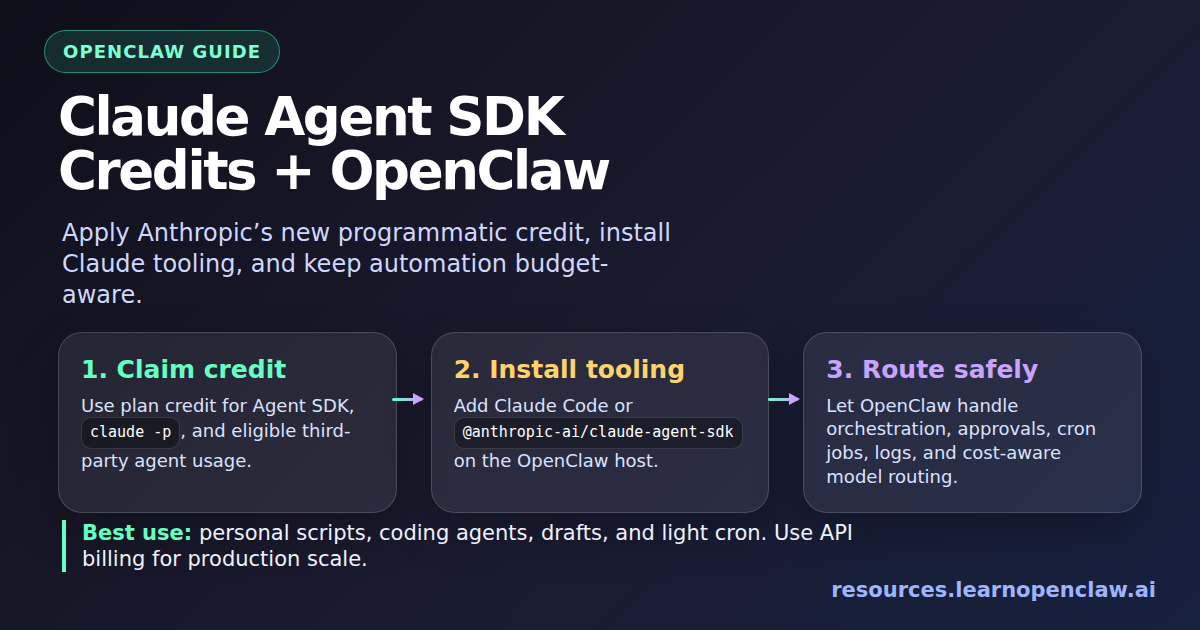
Anthropic just changed the economics of using Claude for programmatic agents. Starting June 15, 2026, Claude Agent SDK and claude -p usage no longer draw from the same interactive Claude plan limits used by Claude.ai, Claude Code, and Claude Cowork. Instead, eligible Claude Pro, Max, Team, and Enterprise users can claim a separate monthly Agent SDK credit.
For OpenClaw users, this matters a lot. OpenClaw is exactly the kind of always-on, tool-using, multi-channel agent environment where programmatic usage can quietly become expensive. The new credit makes Claude-backed OpenClaw workflows easier to try again, but it does not mean unlimited Claude automation is back.
The practical takeaway is simple: use the monthly Agent SDK credit for personal automation, experiments, cron jobs, and lightweight OpenClaw workflows. Use the Claude Developer Platform API key for shared production automation, high-volume RALPH-style loops, customer-facing systems, and anything you cannot afford to have stop mid-month.
What Changed in Claude Plans?
Anthropic’s support article says eligible subscribers can claim a separate monthly Agent SDK credit. That credit applies to Claude Agent SDK usage, claude -p, and third-party apps built on the Agent SDK. Your normal subscription usage remains reserved for interactive use of Claude.ai, Claude Code, and Claude Cowork.
The monthly credits listed by Anthropic are:
- Pro: $20/month
- Max 5x: $100/month
- Max 20x: $200/month
- Team Standard seats: $20/month
- Team Premium seats: $100/month
- Enterprise usage-based: $20/month
- Enterprise seat-based Premium seats: $200/month
The credit is per user, refreshes monthly, does not roll over, and drains before any extra usage balance. If the credit runs out, programmatic Agent SDK requests stop unless extra usage is enabled. That last part is important for OpenClaw because autonomous agents are usually less predictable than normal chat sessions.
Why This Matters for OpenClaw
OpenClaw is not just a chat window. It can receive Telegram messages, run cron jobs, delegate coding tasks, call tools, inspect files, write posts, monitor systems, and chain multiple actions together. That makes it much more powerful than a simple Claude chat, but it also means one request can trigger many model calls.
With the Agent SDK credit, Claude becomes a better fit again for three OpenClaw use cases:
- Personal coding assistance: spawn Claude-backed coding agents for repository analysis, refactors, and bug fixing.
- Lightweight scheduled automation: run small daily or hourly tasks that summarize, inspect, or draft work.
- Local tool scripts: build custom Node or Python scripts using the Claude Agent SDK, then let OpenClaw call those scripts from cron jobs, skills, or workflows.
But it is a bad fit for anything that needs guaranteed continuity after the credit is exhausted. If your automation writes production code, handles customers, publishes externally, or runs for hours, use API billing or a properly budgeted provider configuration instead.
The OpenClaw Mental Model
Think of the new Claude Agent SDK credit as a monthly sandbox for programmatic Claude work. OpenClaw can sit above it as the orchestrator:
- OpenClaw receives the request from Telegram, Discord, cron, or the web UI.
- OpenClaw routing decides whether this should be handled by the main agent, a lite agent, an ACP coding harness, or a local script.
- Claude Code / Agent SDK performs the programmatic Claude work.
- The monthly Agent SDK credit pays for that programmatic usage until it runs out.
That separation is healthy. It lets you keep interactive Claude usage separate from autonomous OpenClaw automation, and it gives you a clearer budget line for agentic work.
Install Claude Code for OpenClaw
If your goal is to let OpenClaw use Claude through the Claude Code CLI path, start by installing Claude Code on the same machine where OpenClaw runs.
$ npm install -g @anthropic-ai/claude-code
$ claude --version
Then authenticate Claude Code. This usually opens a browser/device login flow, so run it in a real terminal where you can complete the login.
$ claude loginAfter login, test non-interactive usage. This is the kind of usage Anthropic says falls under the Agent SDK credit after the new plan rules take effect.
$ claude -p "Reply with one sentence: Claude CLI is working."Connect Claude CLI Authentication to OpenClaw
OpenClaw can use provider auth flows to configure model access. On current OpenClaw builds, the command family is openclaw models auth. First inspect the available auth options on your install:
$ openclaw models auth --help
$ openclaw models auth login --help
Then run the Anthropic CLI login flow and set it as the default model provider if that is what you want for this OpenClaw install:
$ openclaw models auth login --provider anthropic --method cli --set-default
$ openclaw gateway restart
$ openclaw status
If your OpenClaw version exposes a setup-token flow instead, use the built-in helper rather than hand-editing token files:
$ openclaw models auth setup-token --provider anthropic
$ openclaw gateway restart
The exact provider method can vary by OpenClaw version and plugin configuration, so the safest pattern is: check --help, use the built-in auth flow, restart the gateway, then verify with openclaw status.
Install the Claude Agent SDK for Local OpenClaw Scripts
The Claude Agent SDK is useful when you want OpenClaw to call a purpose-built script instead of routing the entire task through the main conversational agent. For example, you might build a repository audit script, a daily changelog summarizer, or a narrow bug-fixing assistant.
For TypeScript or Node.js projects:
$ mkdir -p ~/openclaw-claude-agent-demo
$ cd ~/openclaw-claude-agent-demo
$ npm init -y
$ npm install @anthropic-ai/claude-agent-sdk
Create a small SDK script:
import { query } from "@anthropic-ai/claude-agent-sdk";

for await (const message of query({
  prompt: "Inspect this repository and list the three highest-risk TODO comments.",
  options: {
    allowedTools: ["Read", "Glob", "Grep"],
  },
})) {
  if ("result" in message) {
    console.log(message.result);
  }
}
Run it from the project directory:
$ node audit-todos.mjsFor Python projects, install the Python package instead:
$ python3 -m venv .venv
$ source .venv/bin/activate
$ pip install claude-agent-sdk
Official SDK docs also support API key authentication. If you are building a production OpenClaw integration, that is usually the cleaner path because it gives you predictable billing, clear org-level controls, and fewer surprises when a personal monthly credit is exhausted.
Run the SDK Script from OpenClaw
Once the script works locally, OpenClaw can call it like any other local automation. The most straightforward pattern is to wrap the script in a shell file with explicit working directory and environment setup:
#!/usr/bin/env bash
set -euo pipefail

cd /root/openclaw-claude-agent-demo
node audit-todos.mjs
Then make it executable:
$ chmod +x /root/openclaw-claude-agent-demo/run-audit.shFrom there, you can call it from an OpenClaw skill, a cron job, or a workflow prompt. The key is to keep the script narrow. Do not give a scheduled SDK script broad write permissions unless you genuinely need them.
Recommended Guardrails
Claude Agent SDK agents can read files, run shell commands, search code, and edit files. That is powerful, but it also means your defaults matter. For OpenClaw, I recommend these guardrails:
- Start read-only: use
Read,Glob, andGrepbefore allowingEdit,Write, orBash. - Use narrow working directories: run SDK scripts inside the exact project folder, not from
/or a broad home directory. - Separate personal from production: personal OpenClaw workflows can use the monthly credit; production workflows should use API billing and proper budgets.
- Set timeouts: scheduled OpenClaw jobs should not run forever just because an agent is stuck.
- Log outputs: write results to files or send concise Telegram summaries so you know what happened.
- Keep publish/send actions human-approved: drafting is fine; external posting should stay gated unless you explicitly trust that workflow.
Cost Strategy: What Should Use the Credit?
The monthly Agent SDK credit is useful, but it is not a replacement for cost controls. Here is the strategy I would use:
- Use the credit for: experiments, personal scripts, one-off repository inspections, learning projects, small OpenClaw cron jobs, and draft generation.
- Use API billing for: customer workflows, large coding loops, multi-hour agents, team automations, batch processing, and anything with reliability requirements.
- Use cheaper models or lite agents for: classification, formatting, routing, summarization, and low-risk housekeeping.
OpenClaw’s advantage is that it can route work. You do not need Claude for everything. Use Claude where its coding and reasoning strengths matter. Use smaller or cheaper models where the task is mechanical.
What Other Coverage Gets Right — and What It Misses
Most coverage of this announcement focuses on the policy reversal and the developer backlash. That context is useful: Anthropic previously moved third-party agent usage away from broad subscription limits, and this new credit system partially reopens the door. VentureBeat, TNW, and Cybersecurity News correctly frame this as an economics change: agentic workflows can consume far more compute than normal chat, so Anthropic is separating interactive usage from programmatic usage.
What most coverage misses is the actual operator question: what should an OpenClaw user do on their server?
The answer is not “switch everything to Claude.” The better answer is:
- claim the Agent SDK credit when available,
- install and test Claude Code or the Claude Agent SDK locally,
- connect Claude to OpenClaw through the built-in auth/provider flow where supported,
- wrap SDK scripts as narrow tools when you need custom behavior,
- reserve production-scale automation for API billing,
- and keep OpenClaw’s routing/cost discipline in place.
That is the practical middle path. You get Claude back inside your agent workflows without pretending a monthly credit is the same thing as unlimited infrastructure.
Troubleshooting
claude command not found
Install Claude Code globally and make sure your npm global bin directory is on your PATH.
$ npm install -g @anthropic-ai/claude-code
$ which claude
$ claude --version
OpenClaw still uses another model
Check the active session status and your configured model defaults. In chat, /status shows the active model. On the server, use:
$ openclaw status
$ openclaw models auth --help
Programmatic usage stops mid-month
Your Agent SDK credit may be exhausted, or extra usage may not be enabled. For important automation, do not rely on a personal monthly credit. Move that workflow to a Claude API key or another metered provider with explicit budget controls.
Cron jobs fail after auth changes
Restart the OpenClaw gateway and test the exact job manually. For short jobs, set explicit timeouts so failures surface quickly instead of sitting in a long-running state.
$ openclaw gateway restart
$ openclaw cron list
Final Recommendation
If you run OpenClaw personally, claim the Claude Agent SDK credit and use it. It is perfect for learning, drafting, research, and light automation. Install Claude Code, verify claude -p, connect OpenClaw through its provider auth flow, and use SDK scripts for narrow custom tools.
If you run OpenClaw for a team, clients, or production workflows, do not build your reliability around a personal monthly credit. Treat the credit as a bonus sandbox, not your infrastructure plan. Put production automation on API billing, set budgets, add logs, and keep OpenClaw’s human-approval gates for anything external.
That is the sane way to apply Anthropic’s new Agent SDK credit to OpenClaw: useful, practical, and budget-aware — without getting surprised halfway through the month.