If you’re running OpenClaw with multiple agents and cron jobs, you’ve probably hit the OAuth token wall: tokens expire every 8 hours, the refresh endpoint has strict rate limits, and once you’re rate-limited, you’re locked out for 6 hours. During that window, all your API calls fail with HTTP 401 authentication_error.
Many people want to use Anthropic’s Claude with OpenClaw through OAuth to avoid high API fees, but they’re understandably concerned about getting banned for using OAuth in ways that might violate Anthropic’s terms of service. We can’t guarantee you won’t get banned — that’s entirely up to Anthropic’s discretion and their evolving policies. However, what we can share are techniques we’ve personally tested in production environments that are currently working at the time of writing this article (March 2024). These approaches help you work within the OAuth system more reliably, reducing the token refresh failures that often trigger rate limits and lockouts. Use them at your own risk, and always monitor Anthropic’s terms of service for changes.
The frustrating part? Some jobs work, others don’t — not because of misconfiguration, but because of timing. Jobs that run during the fresh token window succeed. Jobs scheduled during the lockout fail.
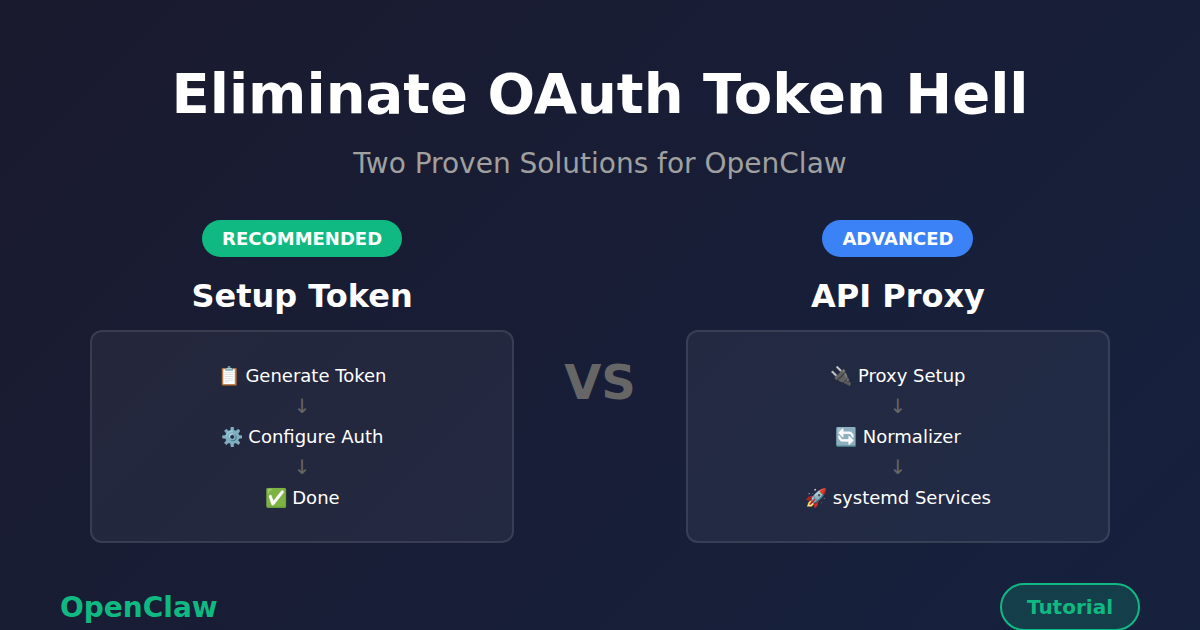
This guide shows you two solutions to eliminate OAuth token hell permanently:
- Option 1: Setup Token — Simple, one-time configuration using Claude Code CLI
- Option 2: Claude Max API Proxy — Advanced proxy setup for API-style access
The Problem: OAuth Token Hell
Here’s what happens with the default OAuth setup:
- OpenClaw agents authenticate using OAuth tokens
- Tokens expire every ~8 hours
- A cron job (
sync-anthropic-token.py) refreshes them - The refresh endpoint has strict rate limits
- Once rate-limited → 6-hour lockout
- During lockout → token expires → all API calls fail
Symptoms you’ll see:
- Cron jobs failing with
HTTP 401 authentication_error: OAuth token has expired - Interactive Telegram agents working fine (they happen to run during the fresh token window)
- Some jobs succeeding while others fail — timing-dependent, not a config issue
This isn’t a bug. It’s the reality of OAuth token lifecycles when you have dozens of automated jobs running 24/7.
Solution Overview
Both solutions eliminate the token refresh problem, but they work differently:
| Feature | Option 1: Setup Token | Option 2: Claude Max API Proxy |
|---|---|---|
| Complexity | Simple (one command) | Advanced (proxy + normalizer) |
| Prerequisites | Claude Code CLI authenticated | Claude Code CLI + Node.js 20+ |
| External Services | None | 2 proxy services (systemd) |
| Token Lifecycle | Self-refreshing via gateway | Handled by CLI (via proxy) |
| Cost Tracking | Zero (Max plan) | Zero (Max plan) |
| Best For | Most users, single machine | Teams, multi-machine, API access |
Recommendation: Start with Option 1 (Setup Token) — it’s simpler and covers 95% of use cases. Use Option 2 if you need API-style access across multiple machines or prefer a proxy architecture.
Option 1: Setup Token (Recommended)
Claude Code provides a setup-token command that generates a long-lived credential tied to your Claude subscription. Unlike OAuth access tokens, setup tokens handle their own lifecycle — the gateway refreshes them internally without needing an external cron.
claude setup-token → generates a token → paste into OpenClaw → doneNo refresh scripts. No rate-limit lockouts. No 8-hour expiry windows.
Prerequisites
- Claude Code CLI installed and authenticated (
claude --version) - Active Claude Max or Pro subscription
- OpenClaw installed
Step 1: Generate a Setup Token
On any machine where Claude Code CLI is authenticated:
$ claude setup-tokenThis outputs a token string starting with sk-ant-oat01-.... Copy it.
If the CLI isn’t authenticated on your gateway machine, you can generate the token on your laptop and paste it on the server — the token is portable.
Step 2: Configure the Auth Profile
The setup token needs to be placed in each agent’s auth-profiles.json. For a typical OpenClaw setup with main and lite agents:
~/.openclaw/agents/main/agent/auth-profiles.json:
{
  "version": 1,
  "profiles": {
    "anthropic:default": {
      "type": "token",
      "provider": "anthropic",
      "token": "sk-ant-oat01-YOUR_TOKEN_HERE"
    }
  },
  "lastGood": {
    "anthropic": "anthropic:default"
  },
  "usageStats": {
    "anthropic:default": {
      "errorCount": 0
    }
  }
}
Repeat for ~/.openclaw/agents/lite/agent/auth-profiles.json with the same token.
You can do this programmatically:
import json

TOKEN = "sk-ant-oat01-YOUR_TOKEN_HERE"
PATHS = [
    "/root/.openclaw/agents/main/agent/auth-profiles.json",
    "/root/.openclaw/agents/lite/agent/auth-profiles.json",
]

for path in PATHS:
    with open(path) as f:
        data = json.load(f)
    data["profiles"]["anthropic:default"] = {
        "type": "token",
        "provider": "anthropic",
        "token": TOKEN,
    }
    data["lastGood"]["anthropic"] = "anthropic:default"
    # Clear any previous error state
    if "anthropic:default" in data.get("usageStats", {}):
        data["usageStats"]["anthropic:default"] = {"errorCount": 0}
    with open(path, "w") as f:
        json.dump(data, f, indent=2)
Step 3: Configure openclaw.json
Set your agents to use Anthropic models directly:
{
  "auth": {
    "profiles": {
      "anthropic:default": {
        "provider": "anthropic",
        "mode": "oauth"
      }
    }
  },
  "agents": {
    "defaults": {
      "model": {
        "primary": "anthropic/claude-opus-4-6",
        "fallbacks": ["anthropic/claude-sonnet-4-5"]
      },
      "models": {
        "anthropic/claude-opus-4-6": {},
        "anthropic/claude-sonnet-4-5": {},
        "anthropic/claude-sonnet-4-6": {}
      },
      "heartbeat": {
        "every": "12h",
        "model": "anthropic/claude-haiku-4-5-20251001"
      }
    },
    "list": [
      {
        "id": "main",
        "model": "anthropic/claude-opus-4-6"
      },
      {
        "id": "lite",
        "model": "anthropic/claude-sonnet-4-5"
      }
    ]
  }
}
Note: the auth mode is "oauth" even though we’re using a setup token — the setup token is an OAuth token under the hood, just one that the gateway can refresh on its own.
Step 4: Update Cron Job Models
If your cron jobs were pointing to a different provider (like claude-max-proxy), update them to use Anthropic directly:
import json

MODEL_MAP = {
    "claude-max-proxy/claude-opus-4": "anthropic/claude-opus-4-6",
    "claude-max-proxy/claude-sonnet-4": "anthropic/claude-sonnet-4-5",
    "claude-max-proxy/claude-haiku-4": "anthropic/claude-haiku-4-5-20251001",
}

with open("/root/.openclaw/cron/jobs.json") as f:
    data = json.load(f)

for job in data["jobs"]:
    model = job.get("payload", {}).get("model", "")
    if model in MODEL_MAP:
        job["payload"]["model"] = MODEL_MAP[model]
        print(f"Updated: {job['name']}")

with open("/root/.openclaw/cron/jobs.json", "w") as f:
    json.dump(data, f, indent=2)
Step 5: Remove the Token Refresh Cron
If you had a token sync script running on a cron schedule, remove it — it’s no longer needed:
$ crontab -l

$ crontab -l | grep -v 'sync-anthropic-token' | crontab -

$ crontab -l
Step 6: Clear Error State and Restart
After changing auth, cron jobs may have accumulated error counters and backoff timers from previous failures. Reset them:
import json

with open("/root/.openclaw/cron/jobs.json") as f:
    data = json.load(f)

for job in data["jobs"]:
    if job.get("enabled") and job.get("state", {}).get("consecutiveErrors", 0) > 0:
        job["state"]["consecutiveErrors"] = 0
        job["state"]["lastError"] = ""
        job["state"]["lastStatus"] = "ok"
        print(f"Reset: {job['name']}")

with open("/root/.openclaw/cron/jobs.json", "w") as f:
    json.dump(data, f, indent=2)
Then restart the gateway:
$ openclaw gateway stop
$ sleep 5
$ systemctl start openclaw-gateway
Step 7: Verify
Check that the gateway starts with the correct model and all channels connect:
$ journalctl -u openclaw-gateway --since "1 min ago" | grep "agent model"

$ journalctl -u openclaw-gateway --since "1 min ago" | grep -E "telegram|discord"

$ python3 -c "
import json
with open('/root/.openclaw/cron/jobs.json') as f:
    data = json.load(f)
for j in data['jobs']:
    if j.get('enabled'):
        model = j.get('payload',{}).get('model','(default)')
        print(f'{model:<45} | {j[\"name\"]}')
"
Architecture: Before and After
Before (OAuth + refresh cron):
Gateway → Anthropic API (OAuth token, expires in ~8h)
   ↑
Token Sync Cron (every 3h)
   ↑
Anthropic OAuth Refresh Endpoint (rate-limited)
Failure mode: refresh hits rate limit → token expires → all API calls fail for hours.
After (setup token):
Gateway → Anthropic API (setup token, self-refreshing)No external dependencies. The gateway handles token lifecycle internally.
Option 2: Claude Max API Proxy (Advanced)
The Claude Max API Proxy is a bridge that converts OpenAI-format API requests into Claude Code CLI calls, which authenticate through your Max subscription.
The flow:
Your App → claude-max-api (OpenAI format) → Claude Code CLI → Anthropic (via subscription)This gives you:
- No OAuth tokens — uses your Max subscription directly
- No rate limits — no token refresh endpoint to hit
- No lockouts — authentication is handled by Claude Code CLI
- Zero cost tracking — since you're on Max, all calls are free (within plan limits)
Prerequisites
- Node.js 20+
- Claude Code CLI installed and authenticated (
claude --version) - Active Claude Max or Pro subscription
- OpenClaw installed
Step 1: Install and Start claude-max-api
The claude-max-api command should already be available if you have Claude Code installed. Start it on port 3459:
$ claude-max-api 3459Test it:
$ curl http://localhost:3459/v1/chat/completions \
  -H "Content-Type: application/json" \
  -d '{"model": "claude-sonnet-4", "messages": [{"role": "user", "content": "Hello!"}]}'
Step 2: Set Up the Content Normalizer Proxy
This is a critical step. OpenClaw's gateway sends message content in Anthropic's format (arrays of content blocks), but the claude-max-api proxy expects OpenAI format (plain strings).
Create /root/.openclaw/content-normalizer-proxy.js:
#!/usr/bin/env node
/**
 * Content Normalizer Proxy for OpenClaw → claude-max-api
 *
 * Converts Anthropic-style content arrays [{type:"text",text:"..."}]
 * to plain strings for OpenAI completions compatibility.
 */
const http = require('http');

const LISTEN_PORT = 3457;       // OpenClaw connects here
const UPSTREAM_PORT = 3459;     // claude-max-api runs here
const UPSTREAM_HOST = '127.0.0.1';

function normalizeContent(content) {
  if (typeof content === 'string') return content;
  if (Array.isArray(content)) {
    return content
      .filter(block => block && block.type === 'text' && typeof block.text === 'string')
      .map(block => block.text)
      .join('\n');
  }
  if (content && typeof content === 'object' && content.type === 'text') {
    return content.text || '';
  }
  return String(content);
}

function normalizeMessages(messages) {
  if (!Array.isArray(messages)) return messages;
  return messages.map(msg => ({
    ...msg,
    content: normalizeContent(msg.content)
  }));
}

const server = http.createServer((req, res) => {
  let body = '';
  req.on('data', chunk => body += chunk);
  req.on('end', () => {
    let finalBody = body;
    if (req.url?.includes('/chat/completions') && body) {
      try {
        const parsed = JSON.parse(body);
        if (parsed.messages) {
          parsed.messages = normalizeMessages(parsed.messages);
          finalBody = JSON.stringify(parsed);
        }
      } catch (e) {
        // Pass through as-is if parse fails
      }
    }

    const proxyReq = http.request({
      hostname: UPSTREAM_HOST,
      port: UPSTREAM_PORT,
      path: req.url,
      method: req.method,
      headers: {
        ...req.headers,
        host: `${UPSTREAM_HOST}:${UPSTREAM_PORT}`,
        'content-length': Buffer.byteLength(finalBody)
      }
    }, proxyRes => {
      res.writeHead(proxyRes.statusCode, proxyRes.headers);
      proxyRes.pipe(res);
    });

    proxyReq.on('error', e => {
      console.error(`Upstream error: ${e.message}`);
      res.writeHead(502);
      res.end(JSON.stringify({ error: { message: e.message } }));
    });

    proxyReq.write(finalBody);
    proxyReq.end();
  });
});

server.listen(LISTEN_PORT, '127.0.0.1', () => {
  console.log(`Content normalizer proxy :${LISTEN_PORT} → :${UPSTREAM_PORT}`);
});
Make it executable:
$ chmod +x /root/.openclaw/content-normalizer-proxy.jsStep 3: Configure OpenClaw Agent Models
3a. Add the provider to each agent's models.json
Edit ~/.openclaw/agents/main/agent/models.json (and repeat for lite agent):
{
  "providers": {
    "claude-max-proxy": {
      "baseUrl": "http://localhost:3457/v1",
      "api": "openai-completions",
      "models": [
        {
          "id": "claude-opus-4",
          "name": "Claude Opus 4 (Max Proxy)",
          "reasoning": false,
          "input": ["text", "image"],
          "cost": { "input": 0, "output": 0, "cacheRead": 0, "cacheWrite": 0 },
          "contextWindow": 200000,
          "maxTokens": 16384
        },
        {
          "id": "claude-sonnet-4",
          "name": "Claude Sonnet 4 (Max Proxy)",
          "reasoning": false,
          "input": ["text", "image"],
          "cost": { "input": 0, "output": 0, "cacheRead": 0, "cacheWrite": 0 },
          "contextWindow": 200000,
          "maxTokens": 16384
        },
        {
          "id": "claude-haiku-4",
          "name": "Claude Haiku 4 (Max Proxy)",
          "reasoning": false,
          "input": ["text", "image"],
          "cost": { "input": 0, "output": 0, "cacheRead": 0, "cacheWrite": 0 },
          "contextWindow": 200000,
          "maxTokens": 16384
        }
      ],
      "apiKey": "not-needed"
    }
  }
}
3b. Add auth profiles for each agent
Edit ~/.openclaw/agents/main/agent/auth-profiles.json (and lite agent):
{
  "profiles": {
    "claude-max-proxy:default": {
      "type": "api_key",
      "provider": "claude-max-proxy",
      "key": "not-needed"
    }
  },
  "lastGood": {
    "claude-max-proxy": "claude-max-proxy:default"
  }
}
3c. Update openclaw.json
Switch agent model references and remove old OAuth auth profiles:
{
  "auth": {
    "profiles": {
      "claude-max-proxy:default": {
        "provider": "claude-max-proxy",
        "mode": "api_key"
      }
    }
  },
  "agents": {
    "defaults": {
      "model": {
        "primary": "claude-max-proxy/claude-opus-4",
        "fallbacks": ["claude-max-proxy/claude-sonnet-4"]
      },
      "models": {
        "claude-max-proxy/claude-opus-4": {},
        "claude-max-proxy/claude-sonnet-4": {},
        "claude-max-proxy/claude-haiku-4": {}
      },
      "heartbeat": {
        "every": "12h",
        "model": "claude-max-proxy/claude-haiku-4"
      }
    },
    "list": [
      {
        "id": "main",
        "model": "claude-max-proxy/claude-opus-4"
      },
      {
        "id": "lite",
        "model": "claude-max-proxy/claude-sonnet-4"
      }
    ]
  }
}
Step 4: Update Cron Job Models
Update all cron jobs in ~/.openclaw/cron/jobs.json to use the new model names:
import json

model_map = {
    'anthropic/claude-opus-4-6': 'claude-max-proxy/claude-opus-4',
    'anthropic/claude-sonnet-4-5': 'claude-max-proxy/claude-sonnet-4',
    'anthropic/claude-sonnet-4-6': 'claude-max-proxy/claude-sonnet-4',
    'anthropic/claude-haiku-4-5-20251001': 'claude-max-proxy/claude-haiku-4',
}

with open('/root/.openclaw/cron/jobs.json') as f:
    data = json.load(f)

for job in data['jobs']:
    model = job.get('payload', {}).get('model', '')
    if model in model_map:
        job['payload']['model'] = model_map[model]

with open('/root/.openclaw/cron/jobs.json', 'w') as f:
    json.dump(data, f, indent=2)
Step 5: Set Up systemd Services
Create services so everything survives reboots.
claude-max-api service:
Create /etc/systemd/system/claude-max-api.service:
[Unit]
Description=Claude Max API Proxy
After=network.target

[Service]
Type=simple
User=root
ExecStart=/usr/bin/claude-max-api 3459
Restart=always
RestartSec=5
Environment=HOME=/root

[Install]
WantedBy=multi-user.target
Content normalizer service:
Create /etc/systemd/system/openclaw-content-normalizer.service:
[Unit]
Description=OpenClaw Content Normalizer Proxy (3457 -> 3459)
After=claude-max-api.service
Requires=claude-max-api.service

[Service]
Type=simple
User=root
ExecStart=/usr/bin/node /root/.openclaw/content-normalizer-proxy.js
Restart=always
RestartSec=5
Environment=HOME=/root

[Install]
WantedBy=multi-user.target
Enable and start everything:
$ systemctl daemon-reload
$ systemctl enable claude-max-api openclaw-content-normalizer openclaw-gateway
$ systemctl start claude-max-api
$ systemctl start openclaw-content-normalizer
$ systemctl start openclaw-gateway
Step 6: Verify
$ systemctl is-active claude-max-api openclaw-content-normalizer openclaw-gateway

$ curl http://localhost:3457/v1/chat/completions \
  -H "Content-Type: application/json" \
  -d '{"model": "claude-sonnet-4", "messages": [{"role": "user", "content": "Hello!"}]}'
Architecture Summary
                    ┌──────────────────────┐
                    │   Telegram / Discord  │
                    └──────────┬───────────┘
                               │
                    ┌──────────▼───────────┐
                    │  OpenClaw Gateway     │
                    │  (port 18789)         │
                    │  Agents + Cron Jobs   │
                    └──────────┬───────────┘
                               │  Anthropic-style content arrays
                               │  [{type:"text", text:"..."}]
                    ┌──────────▼───────────┐
                    │  Content Normalizer   │
                    │  (port 3457)          │
                    │  Converts to strings  │
                    └──────────┬───────────┘
                               │  Plain string content
                    ┌──────────▼───────────┐
                    │  claude-max-api       │
                    │  (port 3459)          │
                    │  OpenAI → CLI bridge  │
                    └──────────┬───────────┘
                               │
                    ┌──────────▼───────────┐
                    │  Claude Code CLI      │
                    │  Max subscription     │
                    │  (no OAuth tokens!)   │
                    └──────────────────────┘
Troubleshooting (Both Options)
"OAuth token has expired" errors in cron logs
Option 1: The setup token wasn't applied to the agent's auth-profiles.json, or the gateway hasn't been restarted since the change. Check:
python3 -c "
import json
data = json.load(open('/root/.openclaw/agents/main/agent/auth-profiles.json'))
token = data['profiles'].get('anthropic:default', {}).get('token', '')
print(f'Token starts with: {token[:20]}...')
print(f'Token length: {len(token)}')
"
Option 2: The proxy auth profile isn't configured correctly in each agent's auth-profiles.json.
Cron jobs show errors from before the fix
Reset the error counters (see Step 6 in Option 1) and restart the gateway. The scheduler applies backoff delays based on consecutive errors.
"No API key found for provider claude-max-proxy" (Option 2 only)
Each agent needs a claude-max-proxy:default entry in its auth-profiles.json. Check both main and lite agents.
"[object Object]" in agent responses (Option 2 only)
The content normalizer proxy is not running or not in the request path. Verify port 3457 is handled by the normalizer, not directly by claude-max-api.
Gateway crash loop / double process (Option 2 only)
Add Environment=OPENCLAW_NO_RESPAWN=1 to the gateway's systemd service file. The CLI has a self-respawn mechanism that conflicts with systemd's process management.
Token stops working after subscription change (Option 1 only)
Generate a new setup token with claude setup-token and repeat Step 2. This is the only maintenance scenario — it's a one-time action, not a recurring task.
What You've Accomplished
You've completely eliminated OAuth token dependencies from your OpenClaw deployment. Here's what changed:
- No more token expiration failures — authentication goes through your Max subscription
- No more rate limit lockouts — no refresh endpoint to hit
- Stable 24/7 operation — cron jobs run reliably regardless of timing
- Zero-cost API calls — all calls count against your Max plan limits (not metered)
- Simplified architecture — no token sync scripts, no OAuth flow complexity
Your OpenClaw agents and cron jobs now run on the same authentication method you use when you interact with Claude Code CLI directly — your subscription credentials. It's simpler, more reliable, and eliminates an entire class of failure modes.
If you run into issues, check the official docs or drop a message in the OpenClaw community. The setup is straightforward, but the details matter — especially the content normalizer proxy in Option 2.