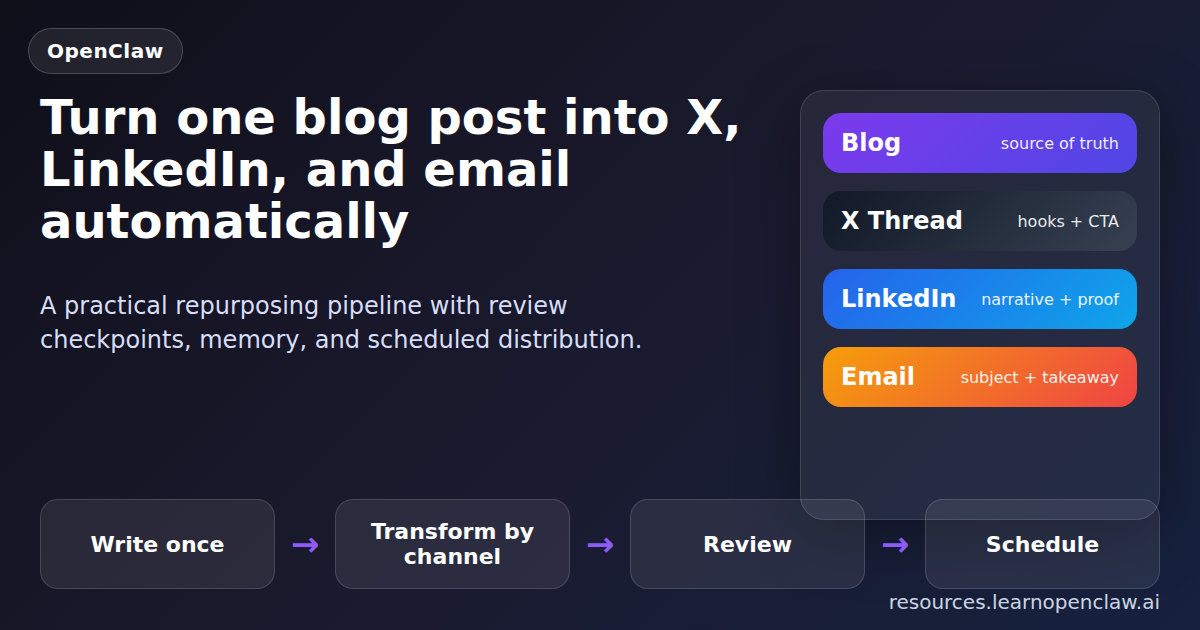
If you are writing one solid blog post and then manually turning it into tweets, a LinkedIn post, and an email newsletter, you are doing content operations the hard way. That workflow burns time, creates inconsistency, and usually dies the second you get busy. OpenClaw is much better at this than humans, because content repurposing is mostly a systems problem: take one source asset, transform it into multiple formats, route each format to the right channel, and keep enough memory so you do not repeat yourself.
In this guide, I will show you how to build an OpenClaw content repurposing pipeline that starts with a blog post and automatically creates channel-specific versions for X, LinkedIn, and email. Not generic AI slop. Real outputs shaped for each destination, with practical prompts, file structure, scheduling ideas, and guardrails so the pipeline does not quietly post nonsense.
The core idea is simple: one canonical article goes in, several optimized assets come out. The blog stays the source of truth. OpenClaw then generates shorter derivatives, stores them in predictable files, and hands them off to the tools or cron jobs you already use. That gives you leverage instead of busywork.
Why this pipeline is worth building
Most people treat repurposing like copy-paste with better prompts. That is too shallow. A real pipeline gives you four benefits:
- Consistency: every channel points back to the same core message.
- Speed: one article becomes multiple assets in minutes.
- Quality control: you can review generated drafts before anything leaves the machine.
- Compounding output: each new blog post automatically fills your social and email queue.
OpenClaw is especially good here because it already has the pieces: filesystem access, cron scheduling, memory files, messaging, and agent orchestration. You do not need a monster stack. You need a clean workflow.
The pipeline architecture
Here is the structure I recommend:
- Input: published or draft blog post HTML / markdown / plain text.
- Normalizer: extract the article title, summary, sections, commands, and CTA.
- Channel transformers: create X thread, LinkedIn post, and email newsletter versions.
- Review layer: save assets to files for approval.
- Distribution layer: schedule or send using the right OpenClaw tools and scripts.
- Memory layer: log what was created so future runs avoid duplicates.
The mistake to avoid is generating one generic summary and blasting it everywhere. X needs hooks and short lines. LinkedIn needs narrative flow and credibility. Email needs a strong subject line and a reason to click through. Same source, different packaging.
Step 1: Create a predictable workspace layout
Do not dump generated assets into random temp files and hope future-you will understand them. Use a repeatable directory structure:
$ mkdir -p content-pipeline/input
$ mkdir -p content-pipeline/output/x
$ mkdir -p content-pipeline/output/linkedin
$ mkdir -p content-pipeline/output/email
$ mkdir -p content-pipeline/logs
I like storing one source article per folder or basename. For example:
content-pipeline/input/openclaw-memory-systems.htmlcontent-pipeline/output/x/openclaw-memory-systems-thread.txtcontent-pipeline/output/linkedin/openclaw-memory-systems-linkedin.txtcontent-pipeline/output/email/openclaw-memory-systems-newsletter.html
That naming convention sounds boring because it is boring. Good. Boring systems survive.
Step 2: Define the transformation prompt clearly
The best prompt is not “make this into social media posts.” That gives you fluff. Tell OpenClaw exactly what each output must do.
Transform this article into three assets:

1. X thread
- 7 to 10 posts
- Strong first-line hook
- One idea per post
- End with a CTA linking back to the article

2. LinkedIn post
- 700 to 1200 characters
- Clear problem, practical insight, short example, CTA
- No hashtag spam

3. Email newsletter draft
- Subject line + preview text
- Short intro
- 3 key takeaways from the article
- CTA button copy

Keep the claims faithful to the source article.
Do not invent results, customer stories, or metrics.
That last line matters. If you do not explicitly ban invented metrics, many models will happily hallucinate performance claims like a junior marketer on espresso.
Step 3: Use OpenClaw to orchestrate the work
You can run the transformation in one session or split it into specialized sub-agents. For simple volume, a single agent is fine. For higher quality, I prefer one coordinator plus separate generation tasks. That lets you keep prompts focused and outputs easier to review.
A practical orchestration pattern looks like this:
- Main session reads the article.
- Main session extracts a canonical summary and key points.
- Sub-agent A writes the X thread.
- Sub-agent B writes the LinkedIn post.
- Sub-agent C writes the email draft.
- Main session validates tone, removes duplicates, and saves assets.
If you are operating manually, the flow can still be lightweight. Even a simple session with file input and output gets you most of the win.
$ openclaw sessions spawn \
  --runtime subagent \
  --label repurpose-x \
  --task "Read content-pipeline/input/article.html and write an X thread to content-pipeline/output/x/article-thread.txt"

$ openclaw sessions spawn \
  --runtime subagent \
  --label repurpose-linkedin \
  --task "Read content-pipeline/input/article.html and write a LinkedIn post to content-pipeline/output/linkedin/article-linkedin.txt"

$ openclaw sessions spawn \
  --runtime subagent \
  --label repurpose-email \
  --task "Read content-pipeline/input/article.html and write an email draft to content-pipeline/output/email/article-newsletter.html"
The exact CLI wrapper may vary depending on your setup, but the pattern is the point: parallelize the derivative work, then centralize review.
Step 4: Save outputs before distribution
This is where a lot of automation setups get stupid. They generate content and immediately publish it. Do not do that unless you enjoy cleaning up public mistakes.
The safer approach is:
- Write every generated asset to disk.
- Send yourself a summary message with filenames.
- Approve, edit, or discard.
- Only then schedule distribution.
OpenClaw’s strength is not just generation. It is routing. Use that. For example, after assets are written, send a Telegram or Discord update saying the package is ready for review.
$ openclaw message send \
  --channel telegram \
  --to "-1003519610404" \
  --message "✅ Repurposed content ready: X thread, LinkedIn post, and email draft saved for review."
That tiny review checkpoint prevents a shocking amount of garbage from going live.
Step 5: Build channel-specific rules
If you want better outputs, stop pretending every platform wants the same format.
X / Twitter
- Lead with tension, a mistake, or a strong claim.
- Keep each post skimmable.
- Use one command or one insight per tweet where possible.
- Close with a link or a clear next step.
- Open with the business problem, not the tool name.
- Use short paragraphs.
- Sound like a practitioner, not a hype machine.
- Give one lesson worth stealing.
- Write a subject line that creates curiosity without clickbait.
- Summarize the value fast.
- Give three useful bullets.
- Include one primary CTA.
This is also where memory becomes useful. Log each angle you already used so future repurposing does not keep repeating the same hook. For example, if last week’s email framed a post around “saving time,” maybe this week’s X thread should lean into “avoiding silent failures” instead.
Step 6: Add scheduling with cron
Once the content package is approved, use cron to stagger distribution instead of sending everything at once. A simple schedule might look like this:
- Blog post: publish immediately or keep as draft.
- X thread: same day, 1 hour later.
- LinkedIn: next morning.
- Email newsletter: next day afternoon.
That spacing gives the source post time to collect clicks and keeps your channels from cannibalizing each other.
$ openclaw cron add --job '{
  "name": "Post approved X thread",
  "schedule": { "kind": "at", "at": "2026-04-22T10:00:00Z" },
  "payload": {
    "kind": "systemEvent",
    "text": "Reminder: post the approved X thread from content-pipeline/output/x/article-thread.txt"
  },
  "sessionTarget": "main",
  "enabled": true
}'
You can replace the reminder pattern with a fully automated post flow once you trust your review process. But starting with reminders is smarter. Automation should earn autonomy.
Step 7: Track what was used
A repurposing pipeline without tracking will eventually repost the same angle with slightly different wording and call it strategy. Keep a log file with:
- Source article title
- Date processed
- Output filenames
- Main hook used for X
- Main angle used for LinkedIn
- Email subject line
Even a plain text or CSV log is enough. The point is to give future runs memory.
$ echo "2026-04-21,From Blog to Multi-Channel Content,Stop manually rewriting the same article,email subject here" \
>> content-pipeline/logs/repurposing-history.csv
Common mistakes that make this pipeline worse, not better
- Generating without source constraints: this causes invented details.
- Posting without review: obvious bad idea.
- Using the same CTA everywhere: lazy and less effective.
- No memory or log: duplicates become inevitable.
- Over-automating too early: start with draft generation, then expand.
The practical path is: draft first, approve second, automate third. If you skip that order, you are not building leverage. You are building cleanup work.
Final setup recommendation
If you want the highest return with the least complexity, build this in three phases:
- Phase 1: Manual trigger, automatic draft generation, human review.
- Phase 2: Add cron reminders and channel-specific templates.
- Phase 3: Add full scheduled distribution after approval.
That is the sane version. The flashy version is full autoposting on day one. The flashy version is also how you end up publishing robotic garbage and pretending the problem is “prompt quality.” It is usually process quality.
FAQ
Can OpenClaw repurpose draft posts, or does the article need to be published first?
Drafts are fine. In fact, repurposing from a draft is often better because you can review the blog post and all derivative content together before anything goes live.
Should I use one agent or multiple agents for this workflow?
Start with one if your volume is low. Move to multiple agents when you want cleaner specialization, parallel generation, or stricter review steps.
What is the best channel to generate first?
X is usually the easiest derivative because it forces you to compress the article into strong, separate points. That often improves the LinkedIn and email versions too.
How do I avoid duplicate angles across future campaigns?
Log your hooks, subject lines, and channel outputs in a simple history file or memory note. OpenClaw can then check previous angles before generating new ones.
Can this pipeline send the content automatically?
Yes, but do not start there. Generate drafts, review them, then add scheduled sending once your prompts and review process are reliable.
Wrap-up
A good content repurposing pipeline is not about squeezing one article into more formats. It is about building a repeatable operating system for content. OpenClaw gives you the pieces: orchestration, memory, scheduling, and messaging. Use them properly and one useful article can feed your social, email, and growth pipeline without becoming a messy manual chore.
If you are still rewriting each post by hand for every channel, stop. Let the machine do the repetitive transformation work, keep a human in the approval loop, and spend your time improving the original ideas instead.