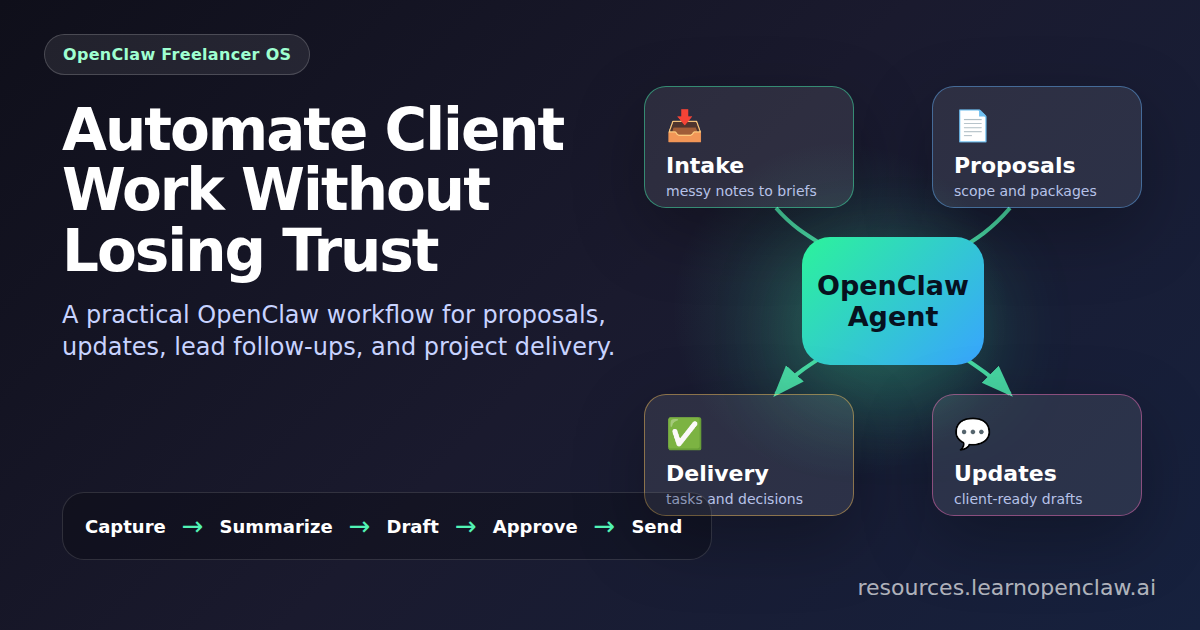
Freelancers and solopreneurs do not usually need a giant AI transformation plan. They need fewer forgotten follow-ups, faster proposals, cleaner client updates, and a way to turn scattered project notes into useful output. That is where OpenClaw becomes practical: it gives you an AI teammate that can read your workspace, run repeatable commands, maintain memory, draft client-facing material, and notify you when something needs attention.
This guide shows a simple freelancer operating system you can build with OpenClaw. The goal is not to automate your judgment. The goal is to remove the repetitive coordination work that steals the best hours of your day: intake summaries, proposal outlines, task checklists, research briefs, status reports, invoice reminders, and weekly client updates.
By the end, you will have a repeatable structure for client work, a few ready-to-use prompts, and practical CLI examples you can adapt to your own business.
Why freelancers should think in workflows, not prompts
A one-off prompt is useful once. A workflow is useful every week. The difference is structure. If your agent knows where client files live, where decisions are recorded, what format updates should use, and which tasks repeat every Monday, you stop rebuilding context from scratch.
OpenClaw is especially strong here because it can combine three things:
- Memory: project notes, client preferences, decisions, and recurring instructions.
- Tools: shell commands, WordPress, Google Workspace, Telegram, Discord, web research, and custom scripts.
- Sessions: separate focused agent runs for research, drafting, QA, or client-specific work.
The practical mindset is simple: if you do something twice, make it a checklist. If you do it weekly, make it a repeatable agent task. If it requires judgment, keep yourself in the approval loop.
What other freelancer AI articles cover
I reviewed several current articles on AI automation for freelancers. Most of them fall into two categories:
- Tool lists: articles that recommend ChatGPT, Grammarly, Canva, Notion AI, Zapier, Calendly, Loom, Bonsai, Wave, ClickUp, Trello, Otter, and similar apps.
- Workflow advice: articles that tell freelancers to automate intake, meeting summaries, project briefs, follow-ups, weekly planning, client updates, invoices, and scheduling.
The good advice is consistent: freelancers should use AI as a support layer, not as a replacement for expertise. The strongest articles repeat the same warning in different words: automate the repetitive work around the client relationship, but keep strategy, taste, approvals, pricing, and sensitive communication human-led.
That is exactly where OpenClaw is different from a normal AI-tool stack. A tool list gives you separate apps. OpenClaw gives you an operating layer that can coordinate the work across files, messages, browser research, scripts, scheduled jobs, and memory. Instead of asking, “Which AI app should I use for this task?” the better question becomes: “Which recurring freelancer workflow should my agent help run?”
The gap: freelancers do not need more apps, they need an operating system
The recurring weakness in many freelancer AI guides is that they recommend too many disconnected tools. One app for writing, one for notes, one for scheduling, one for project management, one for invoices, one for client updates, one for automation. That can work, but it also creates a new problem: now the freelancer has to manage the automation stack.
For solo operators, the highest leverage system is usually simpler:
- A client memory layer: stable facts, preferences, decisions, links, and constraints.
- A work layer: briefs, tasks, deliverables, updates, invoices, and research.
- A review layer: human approval before anything is sent, published, billed, or promised.
- A schedule layer: recurring checks for follow-ups, weekly updates, unpaid invoices, and stale projects.
OpenClaw can sit on top of that structure and act like the coordinator. You can still use tools like Google Sheets, Notion, Gmail, Calendly, Loom, or Wave if they fit your business. But the core system should not depend on remembering which app contains which piece of context. Your agent should be able to read the workspace and tell you what needs attention.
Use-case map: what to automate by freelancer type
Different freelancers should automate different things first. Here is a practical map:
- Writers and content marketers: intake summaries, outline drafts, source research, editorial calendars, revision notes, and client update drafts.
- Designers: client brief cleanup, asset checklists, revision logs, Loom script drafts, brand guideline summaries, and delivery QA checklists.
- Developers: bug triage, requirements summaries, release notes, test checklists, client-friendly technical explanations, and weekly progress reports.
- Consultants: discovery-call summaries, research briefs, proposal options, workshop agendas, decision logs, and follow-up sequences.
- Virtual assistants and operators: inbox summaries, scheduling prep, recurring task reviews, SOP updates, and exception reports.
This keeps automation close to the actual bottleneck. A developer does not need the same AI workflow as a social media manager. A consultant does not need the same system as a designer. OpenClaw works best when each client folder teaches the agent what kind of business it is supporting.
The 30-minute starter setup
If you want the fastest practical version, start with this:
- Create one folder for one active client.
- Add
CLIENT.md,TODO.md, andDECISIONS.md. - Paste your last client call notes into
briefs/intake-raw.md. - Ask OpenClaw to create a clean project brief.
- Ask it to draft this week’s client update.
- Review both files manually and improve the instructions.
That small loop gives you the foundation most tool-list articles skip: reusable context. Once the agent has durable context, every proposal, recap, update, and follow-up gets better.
Useful references I reviewed while improving this guide:
- How Freelancers Are Using AI to Automate Client Workflows
- Best AI Tools for Freelancers in 2026
- How Freelancers Use AI to Save Hours Every Week
- 14 Best AI Tools for Freelancers
- Automate Your Entire Freelance Workflow
Step 1: Create a client workspace structure
Start by giving OpenClaw a predictable place to find information. You do not need anything fancy. A few folders and text files are enough.
$ mkdir -p ~/clients/acme/{briefs,deliverables,meetings,research,updates}
$ touch ~/clients/acme/CLIENT.md
$ touch ~/clients/acme/TODO.md
$ touch ~/clients/acme/DECISIONS.md
Use CLIENT.md for stable client context: business model, goals, tone, stakeholders, approval preferences, and links. Use TODO.md for active work. Use DECISIONS.md for anything you do not want to re-litigate later.
Here is a lightweight client profile template:
Client: Acme Studio
Primary contact: Sarah
Business: B2B design studio for SaaS companies
Goal this quarter: generate 20 qualified discovery calls
Tone: direct, polished, not hype-heavy
Approval style: wants concise options, not long explanations
Do not do without approval: send emails, publish content, change billing
This gives your agent the grounding it needs before doing useful work. It also protects you from accidental overreach by making approval boundaries explicit.
Step 2: Turn client intake into a repeatable summary
Every new project begins with messy information: call notes, emails, website links, screenshots, and half-formed ideas. Your first automation should turn that mess into a clean brief.
Save your raw notes into briefs/intake-raw.md, then ask OpenClaw to produce a structured version:
$ openclaw run "Read ~/clients/acme/briefs/intake-raw.md and create ~/clients/acme/briefs/project-brief.md with: goals, audience, deliverables, risks, open questions, and next actions."The output should not just summarize. It should expose gaps. A good brief tells you what is known, what is assumed, and what still needs confirmation.
Step 3: Build proposal drafts without sounding generic
Most freelance proposals fail because they are either too vague or too long. OpenClaw can draft a first version, but you should give it a structure that forces specificity.
$ openclaw run "Using ~/clients/acme/CLIENT.md and ~/clients/acme/briefs/project-brief.md, draft a proposal in ~/clients/acme/deliverables/proposal-v1.md. Include problem summary, recommended scope, timeline, assumptions, client responsibilities, and three package options."Do not send this directly. Treat it as a strong first draft. Your edge as a freelancer is judgment: pricing, positioning, tradeoffs, and client psychology. The agent helps you get to the judgment stage faster.
Step 4: Use sub-agents for focused research
When you need competitor analysis, market research, or technical exploration, keep it separate from the main drafting conversation. In OpenClaw, sub-agents are useful because they can investigate one question and return a focused result.
sessions_spawn({
  "task": "Research Acme Studio's top five competitors and summarize positioning, offers, pricing signals, and content gaps.",
  "label": "acme-competitor-research",
  "mode": "run"
})
Use a focused research agent when the work is bounded. Use your main session when you need continuity, decisions, or client-specific context. This separation keeps your workspace cleaner and makes it easier to reuse research later.
Step 5: Automate weekly client updates
Client updates are one of the highest-leverage automations for freelancers. They reduce anxiety, create trust, and prevent “just checking in” messages. The best format is short and consistent:
- What changed this week
- What is blocked
- What happens next
- What the client needs to approve or provide
You can generate the draft from your task file and decisions log:
$ openclaw run "Create a client update from ~/clients/acme/TODO.md and ~/clients/acme/DECISIONS.md. Save it to ~/clients/acme/updates/update-$(date +%F).md. Use sections: Done, In progress, Blocked, Next, Need from you."If you connect OpenClaw to Gmail through the Google Workspace CLI, you can go further and draft the email in your mailbox. For most freelancers, I recommend keeping the first version as a file until you fully trust the workflow. External communication deserves a human review step.
Step 6: Create a simple lead follow-up system
Freelancers lose money when warm leads go quiet and nobody follows up. You do not need a full CRM to fix this. A simple CSV or Google Sheet can be enough.
name,email,stage,last_contact,next_action,due_date
Sarah,sarah@example.com,proposal_sent,2026-04-25,follow up on proposal,2026-04-30
Omar,omar@example.com,discovery_call,2026-04-27,send recap and options,2026-04-28
Then ask OpenClaw to identify what needs attention today:
$ openclaw run "Read ~/clients/leads.csv. List every lead with due_date today or earlier. Draft concise follow-up messages, but do not send anything."This is a perfect example of safe automation: the agent prepares the work, but you approve the outbound message.
Step 7: Schedule recurring review tasks
Once your workflow is stable, schedule the parts that should happen automatically. For example, you might want a daily lead review and a Friday client-update draft.
$ openclaw cron list
$ openclaw cron add --name "Daily freelancer lead review" --cron "0 8 * * *" --session isolated --message "Review ~/clients/leads.csv and notify me which follow-ups are due. Do not send emails."
The exact cron command may vary by your OpenClaw version, so run openclaw help or check your installation’s cron documentation if needed. The important pattern is the same: schedule preparation, not irreversible action.
What to automate first
If you are starting from zero, do not automate everything at once. Start with the workflow that removes the most friction without creating risk.
- Best first automation: weekly client update drafts.
- Best sales automation: lead follow-up reminders and message drafts.
- Best delivery automation: project brief cleanup after every client call.
- Best research automation: competitor summaries for proposals.
- Best admin automation: invoice and payment reminder checklists.
Avoid fully automated sending at first. It is tempting, but risky. A freelancer’s reputation is built on nuance. Let OpenClaw prepare the materials; you make the final call.
A practical daily operating rhythm
Here is a simple rhythm that works well for solo operators:
- Morning: ask OpenClaw for today’s client priorities, overdue follow-ups, and blocked tasks.
- After calls: drop notes into the client folder and generate a clean recap.
- Before delivery: run a checklist review against the original brief.
- Friday: generate client updates and next-week plans.
This rhythm gives you the benefits of an operations assistant without hiring one. More importantly, it creates a written trail of context that makes every future task easier.
Safety rules for freelancer automation
Client work has trust attached to it, so keep a few non-negotiable rules:
- Do not let the agent send client emails without explicit approval.
- Do not store secrets, passwords, or API keys in client notes.
- Keep private client files separated by folder.
- Review proposals, invoices, and legal language yourself.
- Log decisions so the agent does not repeat old questions.
OpenClaw is powerful, but the safest setup is still human-in-the-loop. Automate preparation, summarization, checking, and reminders. Keep publishing, sending, billing, and contract decisions under your control.
FAQ
Can OpenClaw replace a project manager for a freelancer?
It can replace a lot of the coordination work, but not the responsibility. OpenClaw can summarize meetings, draft updates, track follow-ups, and prepare checklists. You still own priorities, client expectations, and final decisions.
Do I need Google Sheets or a CRM?
No. Start with files. A folder of Markdown notes and a simple CSV can handle most solo businesses. Add Google Sheets later when you want easier editing, dashboards, or shared visibility.
Should I let OpenClaw email clients automatically?
Not at first. Drafting is safe. Sending is external and reputation-sensitive. Once you trust the workflow, you can automate more, but approvals should stay in place for anything client-facing.
What is the best first client workflow to build?
Build weekly client update drafts first. They are easy to review, immediately useful, and they improve trust with every active client.
How much structure do I need before this becomes useful?
Very little. One client folder, one profile file, one task file, and one decisions file are enough to start. The structure can grow as your business grows.
Final thoughts
The best freelancer automation does not make you sound less human. It gives you more room to be human where it matters: strategy, taste, relationships, and judgment. OpenClaw is most valuable when it quietly handles the repetitive work around your expertise.
Start small. Build one workflow. Use it for a week. Improve the instructions. Then add the next one. That is how a solo business becomes calmer, faster, and more reliable without turning into a complicated software project.