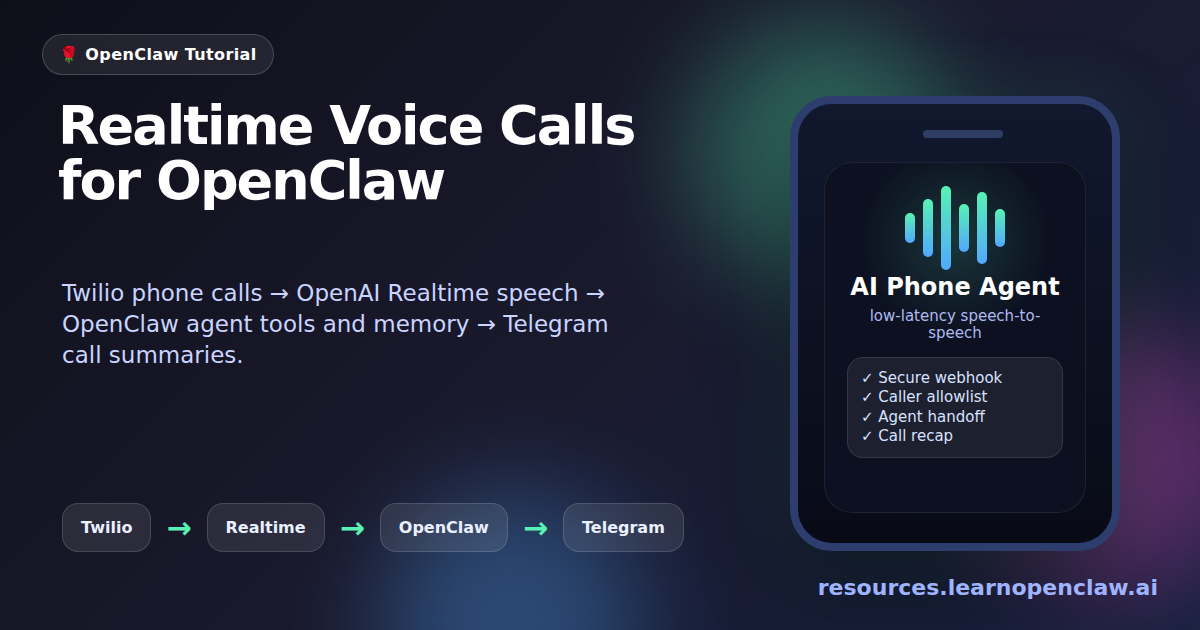
This guide documents the end-to-end setup we used to make an OpenClaw agent answer phone calls through Twilio, speak through OpenAI Realtime, call the OpenClaw agent for tool-backed answers, and send a Telegram summary after every call.
It assumes you already have:
- A VPS running OpenClaw.
- A domain managed in Cloudflare.
- A Twilio phone number.
- An OpenAI API key with Realtime API access.
- A Telegram bot already paired with OpenClaw.
The example values below use placeholders. Replace them with your own values.
VPS public IP:            203.0.113.10
Voice domain:             voice.example.com
Twilio number:            +15551234567
Your allowed phone:       +15557654321
Optional second phone:    +15559876543
OpenClaw directory:       /root/.openclaw
OpenClaw gateway port:    18789
Voice webhook port:       3335
Security note: all IP addresses, phone numbers, domains, tokens, and keys below are placeholders. Replace them with your own values, keep credentials out of Git, and restrict inbound calls before exposing a voice agent publicly.
How This Differs From Other Twilio + Realtime Tutorials
There are already good resources for pieces of this stack. Twilio has a strong Python tutorial for building an AI voice assistant with Twilio Voice and OpenAI Realtime. OpenAI maintains an OpenAI Realtime Twilio demo repository. The OpenAI Realtime docs explain the realtime connection options, and the Twilio Media Streams docs explain bidirectional audio streaming.
Those resources are useful, but they mostly stop at “phone call connected to a realtime model.” This guide goes further: it shows how to make the phone call reach an OpenClaw agent, how to decide when a realtime turn should be routed to the full agent, how to keep webhook hosting stable with Caddy and Cloudflare, how to restrict inbound callers with an allowlist, and how to send Telegram call summaries after hangup.
In short: the usual tutorials teach the voice bridge. This article documents the full operating setup for an OpenClaw-powered phone assistant.
What You Are Building
The final call flow looks like this:
Caller
  -> Twilio phone number
  -> https://voice.example.com/voice/webhook
  -> Caddy reverse proxy
  -> OpenClaw voice-call webhook on 127.0.0.1:3335
  -> Twilio Media Stream websocket
  -> OpenAI Realtime voice session
  -> OpenClaw agent when needed
  -> Telegram call summary after hangup
1. Point a Subdomain at the VPS in Cloudflare
In Cloudflare DNS, create an A record:
Type: A
Name: voice
Content: 203.0.113.10
Proxy status: DNS only, or Proxied if WebSockets work in your account
TTL: Auto
The resulting hostname should be:
voice.example.comIf Cloudflare proxying causes websocket or certificate trouble, set the record to DNS only first. Once everything works, you can test proxying again.
2. Install Caddy on the VPS
Install Caddy:
$ apt-get update
$ apt-get install -y caddy
Create or edit /etc/caddy/Caddyfile:
voice.example.com {
  reverse_proxy 127.0.0.1:3335
}
Restart Caddy:
$ systemctl restart caddyCheck that Caddy is listening:
$ ss -ltnpYou should see listeners on ports 80 and 443.
3. Configure the Twilio Phone Number
In the Twilio Console, open your phone number.
Under Voice Configuration, set:
A call comes in: Webhook
URL: https://voice.example.com/voice/webhook
HTTP method: POST
Save the number.
4. Configure OpenClaw Voice Calls
Run these commands from the OpenClaw config directory:
$ cd /root/.openclawSet the Twilio provider and credentials:
$ openclaw config set plugins.entries.voice-call.enabled true
$ openclaw config set plugins.entries.voice-call.config.provider twilio
$ openclaw config set plugins.entries.voice-call.config.twilio.accountSid TWILIO_ACCOUNT_SID
$ openclaw config set plugins.entries.voice-call.config.twilio.authToken TWILIO_AUTH_TOKEN
$ openclaw config set plugins.entries.voice-call.config.fromNumber +15551234567
Configure the local webhook server:
$ openclaw config set plugins.entries.voice-call.config.serve.port 3335
$ openclaw config set plugins.entries.voice-call.config.serve.bind 0.0.0.0
$ openclaw config set plugins.entries.voice-call.config.publicUrl https://voice.example.com/voice/webhook
Allow inbound calls only from trusted numbers:
$ openclaw config set plugins.entries.voice-call.config.inboundPolicy allowlist
$ openclaw config set plugins.entries.voice-call.config.allowFrom '["+15557654321","+15559876543"]'
Set the default outbound test number:
$ openclaw config set plugins.entries.voice-call.config.toNumber +15557654321
$ openclaw config set plugins.entries.voice-call.config.outbound.defaultMode conversation
5. Enable OpenAI Realtime Voice
Configure OpenAI Realtime:
$ openclaw config set plugins.entries.voice-call.config.realtime.enabled true
$ openclaw config set plugins.entries.voice-call.config.realtime.provider openai
$ openclaw config set plugins.entries.voice-call.config.realtime.streamPath /voice/stream/realtime
$ openclaw config set plugins.entries.voice-call.config.realtime.providers.openai.apiKey OPENAI_API_KEY
$ openclaw config set plugins.entries.voice-call.config.realtime.providers.openai.model gpt-realtime
$ openclaw config set plugins.entries.voice-call.config.realtime.providers.openai.voice marin
$ openclaw config set plugins.entries.voice-call.config.realtime.providers.openai.silenceDurationMs 500
$ openclaw config set plugins.entries.voice-call.config.realtime.providers.openai.vadThreshold 0.5
$ openclaw config set plugins.entries.voice-call.config.realtime.providers.openai.prefixPaddingMs 300
Pin the voice persona so calls sound like the same assistant each time:
$ openclaw config set plugins.entries.voice-call.config.realtime.instructions 'You are OpenClaw on a phone call. Speak naturally, keep replies brief, and respond immediately. Use the same calm, warm voice persona every time; do not vary accent, gender, age, or character between turns or calls.'Disable the older streaming STT path so it does not conflict with realtime:
$ openclaw config set plugins.entries.voice-call.config.streaming.enabled false
$ openclaw config set plugins.entries.voice-call.config.streaming.provider none
6. Configure the OpenClaw Agent Response Path
The stock OpenAI Realtime session can talk directly, but for OpenClaw-specific answers, tools, memory, or current-information requests, we patched the voice-call runtime so realtime calls can route selected turns to the OpenClaw agent.
Set the voice response model and prompt:
$ openclaw config set plugins.entries.voice-call.config.responseModel openai-codex/gpt-5.5
$ openclaw config set plugins.entries.voice-call.config.responseTimeoutMs 12000
$ openclaw config set plugins.entries.voice-call.config.responseSystemPrompt 'You are the OpenClaw phone assistant. Reply immediately with one short spoken sentence. Do not use tools unless the caller explicitly asks you to do something that requires tools.'
For lower latency, use a faster model if your OpenClaw install supports one. The slower the response model, the longer the caller waits when a turn is routed to the full OpenClaw agent.
7. Patch OpenClaw Runtime for Realtime Agent Handoff
Important: these patches modify installed OpenClaw distribution files under /usr/lib/node_modules/openclaw/dist. They work for the installed build we used, but an OpenClaw package update may overwrite them. Keep a copy of this guide so you can reapply the changes or turn them into an upstream plugin/PR later.
7.1 Patch realtime-voice-provider-*.js to Support createResponse
File:
/usr/lib/node_modules/openclaw/dist/realtime-voice-provider-DiLdCfh-.jsAdd support for this config field:
createResponse: typeof raw?.createResponse === "boolean" ? raw.createResponse : void 0,Then make sure the OpenAI session.update includes:
turn_detection: {
  type: "server_vad",
  threshold: cfg.vadThreshold ?? 0.5,
  prefix_padding_ms: cfg.prefixPaddingMs ?? 300,
  silence_duration_ms: cfg.silenceDurationMs ?? 500,
  create_response: cfg.createResponse ?? true
}
And pass createResponse into the realtime bridge config:
createResponse: config.createResponse,Now set it in OpenClaw config:
$ openclaw config set plugins.entries.voice-call.config.realtime.providers.openai.createResponse falseWhy this matters: with create_response=false, we can decide when to let OpenAI Realtime answer directly and when to call the OpenClaw agent first. This avoids duplicate or conflicting replies.
7.2 Patch realtime-handler-*.js to Add the OpenClaw Agent Tool
File:
/usr/lib/node_modules/openclaw/dist/realtime-handler-I4cwzcp5.jsAdd this helper near the top:
function buildOpenClawAgentTool() {
  return {
    type: "function",
    name: "ask_openclaw_agent",
    description: "Ask the user's OpenClaw agent for a concise phone-call answer when the caller asks for current information, personal context, memory, or an action that may require tools.",
    parameters: {
      type: "object",
      properties: {
        question: {
          type: "string",
          description: "The caller's request or question to send to the OpenClaw agent."
        }
      },
      required: ["question"]
    }
  };
}
Update the RealtimeCallHandler constructor so it accepts and stores the OpenClaw runtime:
constructor(config, manager, provider, realtimeProvider, providerConfig, servePath, coreConfig, agentRuntime, voiceConfig) {
  this.config = config;
  this.voiceConfig = voiceConfig ?? config;
  this.manager = manager;
  this.provider = provider;
  this.realtimeProvider = realtimeProvider;
  this.providerConfig = providerConfig;
  this.servePath = servePath;
  this.coreConfig = coreConfig ?? null;
  this.agentRuntime = agentRuntime ?? null;
  this.toolHandlers = new Map();
  this.pendingStreamTokens = new Map();
  this.publicOrigin = null;
  this.publicPathPrefix = "";
}
When creating the realtime bridge, add the tool when the agent runtime exists:
const realtimeTools = [...this.config.tools ?? []];
if (this.agentRuntime && !realtimeTools.some((tool) => tool?.name === "ask_openclaw_agent")) {
  realtimeTools.push(buildOpenClawAgentTool());
}
Use these bridge settings:
instructions: this.agentRuntime
  ? `${this.config.instructions ?? ""}\n\nUse ask_openclaw_agent for questions that require current information, OpenClaw memory, tools, or actions. Keep your final spoken reply brief.`.trim()
  : this.config.instructions,
tools: realtimeTools,
When a final user transcript arrives, process the event and route the text:
this.manager.processEvent(event);
this.respondToUserTranscript(bridgeRef.current, callId, text).catch((error) => {
  console.error("[voice-call] realtime agent turn failed:", error);
});
Add these methods to RealtimeCallHandler:
async askOpenClawAgent(callId, args) {
  if (!this.coreConfig || !this.agentRuntime) return { error: "OpenClaw agent runtime is not available" };
  const call = this.manager.getCall(callId);
  if (!call) return { error: "Call record is not available" };
  const question = typeof args?.question === "string" && args.question.trim()
    ? args.question.trim()
    : call.transcript.at(-1)?.text ?? "";
  if (!question) return { error: "No question was provided" };

  const { generateVoiceResponse } = await import("./response-generator-BAFjIBAr.js");
  const response = await generateVoiceResponse({
    voiceConfig: this.voiceConfig,
    coreConfig: this.coreConfig,
    agentRuntime: this.agentRuntime,
    callId,
    from: call.from,
    transcript: call.transcript,
    userMessage: question
  });

  if (response.error) return { error: response.error };
  return { answer: response.text ?? "" };
}

shouldRouteTranscriptToAgent(text) {
  const lower = text.toLowerCase();
  return /\b(weather|forecast|today|current|latest|news|email|calendar|message|remind|schedule|search|look up|find|remember|memory)\b/.test(lower);
}

async respondToUserTranscript(bridge, callId, text) {
  if (!bridge) return;

  if (!this.shouldRouteTranscriptToAgent(text)) {
    bridge.sendUserMessage(text);
    return;
  }

  console.log(`[voice-call] Routing realtime turn to OpenClaw agent for call ${callId}: "${text}"`);
  const result = await this.askOpenClawAgent(callId, { question: text });

  if (result.error) {
    console.warn(`[voice-call] OpenClaw agent turn failed for call ${callId}: ${result.error}`);
    bridge.sendUserMessage("Tell the caller briefly that I could not complete that request right now.");
    return;
  }

  const answer = typeof result.answer === "string" ? result.answer : "";
  bridge.sendUserMessage(`Say this to the caller naturally and briefly: ${answer}`);
}
Update tool execution so the bridge can call the OpenClaw agent tool:
if (name === "ask_openclaw_agent") {
  result = await this.askOpenClawAgent(callId, args).catch((error) => ({ error: formatErrorMessage(error) }));
}
7.3 Patch Runtime Construction to Pass OpenClaw Runtime Into the Realtime Handler
File:
/usr/lib/node_modules/openclaw/dist/runtime-entry-CWPzbB0H.jsFind where RealtimeCallHandler is constructed and make sure it passes coreConfig, agentRuntime, and the full voice config:
webhookServer.setRealtimeHandler(
  new RealtimeCallHandler(
    config.realtime,
    manager,
    provider,
    realtimeProvider.provider,
    realtimeProvider.providerConfig,
    config.serve.path,
    coreConfig,
    agentRuntime,
    config
  )
);
8. Add Telegram Call Summaries
The guide setup sends a Telegram summary after each terminal call state. It uses the paired Telegram allowlist file:
/root/.openclaw/credentials/telegram-default-allowFrom.jsonThat file looks like:
{
  "version": 1,
  "allowFrom": [
    "YOUR_TELEGRAM_USER_ID"
  ]
}
Patch /usr/lib/node_modules/openclaw/dist/runtime-entry-CWPzbB0H.js.
Add these helpers near the call lifecycle functions:
function formatCallDuration(call) {
  const end = call.endedAt ?? Date.now();
  const start = call.answeredAt ?? call.startedAt;
  if (!start || end < start) return "unknown duration";
  const totalSeconds = Math.max(0, Math.round((end - start) / 1e3));
  const minutes = Math.floor(totalSeconds / 60);
  const seconds = totalSeconds % 60;
  return minutes > 0 ? `${minutes}m ${seconds}s` : `${seconds}s`;
}

function formatPhoneForSummary(value) {
  const trimmed = typeof value === "string" ? value.trim() : "";
  return trimmed || "unknown";
}

function truncateForTelegramSummary(text, maxChars) {
  const normalized = text.replace(/\s+/g, " ").trim();
  if (normalized.length <= maxChars) return normalized;
  return `${normalized.slice(0, Math.max(0, maxChars - 3)).trimEnd()}...`;
}

function buildConversationTranscriptForSummary(transcript) {
  const lines = [];
  for (const entry of transcript) {
    const speaker = entry.speaker === "bot" ? "AI" : "Caller";
    lines.push(`${speaker}: ${truncateForTelegramSummary(entry.text, 600)}`);
  }
  const full = lines.join("\n");
  return full.length <= 3200 ? full : `${full.slice(0, 3197).trimEnd()}...`;
}

function summarizeCallForTelegram(call) {
  const transcript = Array.isArray(call.transcript)
    ? call.transcript.filter((entry) => typeof entry?.text === "string" && entry.text.trim())
    : [];
  const userTurns = transcript.filter((entry) => entry.speaker === "user").map((entry) => entry.text.trim());
  const botTurns = transcript.filter((entry) => entry.speaker === "bot").map((entry) => entry.text.trim());
  const topicSource = truncateForTelegramSummary(userTurns.join(" "), 500);
  const aiSource = truncateForTelegramSummary(botTurns.join(" "), 700);
  const overview = !transcript.length
    ? "No conversation transcript was captured."
    : [
        topicSource ? `Caller asked/discussed: ${topicSource}` : "No caller speech was captured.",
        aiSource ? `AI answered: ${aiSource}` : "No AI answer text was captured."
      ].join("\n");
  const conversation = transcript.length ? buildConversationTranscriptForSummary(transcript) : "";
  const lines = [
    "Voice call summary",
    `From: ${formatPhoneForSummary(call.from)}`,
    `To: ${formatPhoneForSummary(call.to)}`,
    `Duration: ${formatCallDuration(call)}`,
    `Result: ${call.endReason ?? call.state}`,
    "",
    "Overview:",
    overview,
    "",
    "Conversation:",
    conversation || "Unavailable."
  ];
  return lines.join("\n");
}

function resolveTelegramCallSummaryTarget(ctx) {
  const envTarget = process.env.OPENCLAW_VOICE_CALL_SUMMARY_TELEGRAM_TO?.trim();
  if (envTarget) return envTarget;

  try {
    const allowFromPath = path.join(os.homedir(), ".openclaw", "credentials", "telegram-default-allowFrom.json");
    const parsed = JSON.parse(fs.readFileSync(allowFromPath, "utf-8"));
    const first = Array.isArray(parsed.allowFrom)
      ? parsed.allowFrom.find((entry) => typeof entry === "string" && entry.trim())
      : null;
    return first?.trim() || null;
  } catch {
    return null;
  }
}

function notifyTelegramCallSummary(ctx, call) {
  const target = resolveTelegramCallSummaryTarget(ctx);
  if (!target) return;
  const text = summarizeCallForTelegram(call);

  import("./send-D4o8ZHN1.js").then(({ sendMessageTelegram }) => {
    return sendMessageTelegram(target, text, {
      textMode: "plain",
      silent: true
    });
  }).then(() => {
    console.log(`[voice-call] Sent Telegram call summary for ${call.callId}`);
  }).catch((err) => {
    console.warn(`[voice-call] Failed to send Telegram call summary for ${call.callId}: ${formatErrorMessage(err)}`);
  });
}
Call the notifier in finalizeCall after persisting the terminal call record:
persistCallRecord(ctx.storePath, call);
notifyTelegramCallSummary(ctx, call);
Also make sure realtime bot speech is stored in the transcript. In the call.speaking case, add:
case "call.speaking":
  addTranscriptEntry(call, "bot", event.text);
  transitionState(call, "speaking");
  break;
9. Add a Realtime Test Call Helper
Create /root/.openclaw/voicecall-initiate.mjs:
#!/usr/bin/env node
import fs from "node:fs";
import { t as GatewayClient } from "/usr/lib/node_modules/openclaw/dist/client-mAkhLNco.js";

if (process.argv.includes("--help") || process.argv.includes("-h")) {
  console.log("Usage: ./voicecall-initiate.mjs [to-number] [message...]");
  console.log("       ./voicecall-initiate.mjs [to-number] --no-message");
  console.log("       ./voicecall-initiate.mjs [to-number] --message \"text to speak first\"");
  console.log("Example: ./voicecall-initiate.mjs +15555550123 \"Hello from OpenClaw\"");
  process.exit(0);
}

const to = process.argv[2] || "+15557654321";
const noMessage = process.argv.includes("--no-message");
const messageFlagIndex = process.argv.indexOf("--message");
const legacyMessageArgs = process.argv.slice(3).filter((arg) => arg !== "--no-message");
const message = noMessage
  ? undefined
  : messageFlagIndex >= 0
    ? process.argv.slice(messageFlagIndex + 1).join(" ").trim() || undefined
    : legacyMessageArgs.length > 0
      ? legacyMessageArgs.join(" ").trim()
      : undefined;

const identity = JSON.parse(fs.readFileSync("/root/.openclaw/identity/device.json", "utf8"));
const auth = JSON.parse(fs.readFileSync("/root/.openclaw/identity/device-auth.json", "utf8"));
const operatorToken = auth.tokens?.operator;

if (!operatorToken?.token) {
  console.error("Missing operator device token at /root/.openclaw/identity/device-auth.json");
  process.exit(1);
}

const client = new GatewayClient({
  url: "ws://127.0.0.1:18789",
  clientName: "gateway-client",
  clientDisplayName: "voicecall-initiate",
  clientVersion: "local",
  mode: "backend",
  role: "operator",
  scopes: operatorToken.scopes || ["operator.admin"],
  deviceToken: operatorToken.token,
  deviceIdentity: identity,
  requestTimeoutMs: 60000,
  onConnectError: (err) => {
    console.error(`Connect failed: ${err?.message || String(err)}`);
  },
  onHelloOk: async () => {
    try {
      const result = await client.request(
        "voicecall.initiate",
        { to, ...(message ? { message } : {}), mode: "conversation" },
        { timeoutMs: 60000 },
      );
      console.log(JSON.stringify(result, null, 2));
      await client.stopAndWait({ timeoutMs: 1000 });
      process.exit(0);
    } catch (err) {
      console.error(`Call failed: ${err?.message || String(err)}`);
      await client.stopAndWait({ timeoutMs: 1000 }).catch(() => {});
      process.exit(2);
    }
  },
});

client.start();
setTimeout(() => {
  console.error("Timed out waiting for gateway response");
  client.stop();
  process.exit(3);
}, 90000).unref();
Make it executable:
$ chmod +x /root/.openclaw/voicecall-initiate.mjsFor a real realtime conversation test, call with no initial message:
$ ./voicecall-initiate.mjs +15557654321 --no-messageAvoid passing a prompt unless you intentionally want the older Twilio inline TwiML path.
10. Validate and Restart
Validate the OpenClaw config:
$ openclaw config validateRestart the gateway:
$ openclaw gateway run --port 18789 --force --bind loopbackThe command may exit after launching the gateway service. Check ports:
$ ss -ltnpYou should see:
127.0.0.1:18789  openclaw-gateway
0.0.0.0:3335     openclaw-gateway
*:80             caddy
*:443            caddy
The voice sidecar may take 45-60 seconds to bind after the gateway starts. Check logs:
$ tail -n 100 /tmp/openclaw/openclaw-$(date +%F).logLook for:
[voice-call] Webhook server listening on http://0.0.0.0:3335/voice/webhook
[voice-call] Realtime voice provider: openai
[voice-call] Runtime initialized
[voice-call] Public URL: https://voice.example.com/voice/webhook
11. Test Outbound Calls
Start a real realtime test call:
$ cd /root/.openclaw
$ ./voicecall-initiate.mjs +15557654321 --no-message
During a successful call, the call log should include events like:
realtime-initiated
realtime-answered
realtime-bot
realtime-speech
Inspect the call records:
$ tail -n 20 /root/.openclaw/voice-calls/calls.jsonlAfter the call ends, the gateway log should show:
[voice-call] Sent Telegram call summary for <callId>12. Test Inbound Calls
Call the Twilio number from an allowlisted phone.
If the call hangs up immediately, check the log:
$ tail -n 100 /tmp/openclaw/openclaw-$(date +%F).log | rg "Inbound call|Rejecting inbound|allowlist"If you see:
Inbound call rejected: +YOURNUMBER not in allowlistAdd the number:
$ openclaw config set plugins.entries.voice-call.config.allowFrom '["+15557654321","+15559876543","+YOURNUMBER"]'
$ openclaw config validate
$ openclaw gateway run --port 18789 --force --bind loopback
13. Troubleshooting
The call answers but does not speak back
Check that your test call is using realtime, not inline TwiML:
$ tail -n 100 /tmp/openclaw/openclaw-$(date +%F).log | rg "Using inline TwiML|realtime"If you see Using inline TwiML for conversation mode, you probably initiated the call with an initial message. Use:
$ ./voicecall-initiate.mjs +15557654321 --no-messageThe inbound call hangs up immediately
The caller is probably not allowlisted:
$ openclaw config set plugins.entries.voice-call.config.allowFrom '["+15557654321","+15559876543"]'Restart after changing the allowlist.
The voice sounds different between calls
Make sure you are using the realtime path and that the OpenAI realtime voice is pinned:
$ openclaw config set plugins.entries.voice-call.config.realtime.providers.openai.voice marinDo not pass an initial message unless you want the Twilio/Polly fallback path.
The assistant is slow on current-information questions
The realtime assistant answers normal conversational turns directly. Requests matching words like weather, current, latest, search, calendar, email, or memory are routed to the full OpenClaw agent.
That is more powerful but slower. To improve latency:
- Use a faster
responseModel. - Keep
responseSystemPromptshort. - Only route tool/current-information turns to the agent.
Telegram summaries do not arrive
Test Telegram delivery:
$ node --input-type=module -e "const { sendMessageTelegram } = await import('/usr/lib/node_modules/openclaw/dist/send-D4o8ZHN1.js'); await sendMessageTelegram('YOUR_TELEGRAM_USER_ID','Voice summary delivery test',{textMode:'plain', silent:true}); console.log('sent');"If that fails with DNS/network errors, fix VPS outbound network access to api.telegram.org.
Final Known-Good Config Shape
The voice-call config should look like this, with secrets replaced:
{
  "provider": "twilio",
  "twilio": {
    "accountSid": "TWILIO_ACCOUNT_SID",
    "authToken": "TWILIO_AUTH_TOKEN"
  },
  "fromNumber": "+15551234567",
  "serve": {
    "port": 3335,
    "bind": "0.0.0.0"
  },
  "publicUrl": "https://voice.example.com/voice/webhook",
  "skipSignatureVerification": true,
  "streaming": {
    "enabled": false,
    "provider": "none"
  },
  "inboundPolicy": "allowlist",
  "allowFrom": [
    "+15557654321",
    "+15559876543"
  ],
  "toNumber": "+15557654321",
  "outbound": {
    "defaultMode": "conversation"
  },
  "responseModel": "openai-codex/gpt-5.5",
  "responseTimeoutMs": 12000,
  "responseSystemPrompt": "You are the OpenClaw phone assistant. Reply immediately with one short spoken sentence. Do not use tools unless the caller explicitly asks you to do something that requires tools.",
  "realtime": {
    "enabled": true,
    "provider": "openai",
    "streamPath": "/voice/stream/realtime",
    "instructions": "You are OpenClaw on a phone call. Speak naturally, keep replies brief, and respond immediately. Use the same calm, warm voice persona every time; do not vary accent, gender, age, or character between turns or calls.",
    "providers": {
      "openai": {
        "apiKey": "OPENAI_API_KEY",
        "model": "gpt-realtime",
        "voice": "marin",
        "silenceDurationMs": 500,
        "vadThreshold": 0.5,
        "prefixPaddingMs": 300,
        "createResponse": false
      }
    }
  }
}
Security Notes
This setup used:
"skipSignatureVerification": trueThat is convenient for testing, but not ideal for production. For a production deployment, enable Twilio webhook signature verification and remove insecure gateway flags.
Also rotate any API keys that were pasted into logs, shell history, chat tools, or screenshots.